
A practical guide to Progressive Web Apps for Indian SMBs: what they are and why they matter ?
There is a moment every small business owner knows.
You have a product people want. Your business is growing. Someone refers a new customer, that customer pulls out their phone, types your name, lands on your website, and leaves in eight seconds because the page took forever to load, the buttons were too small to tap, and nothing felt right on mobile.
You did not lose them because of your product. You lost them because of your website.
Most Indian SMBs are in this exact position right now. The business is real. The digital front door is not built for the people walking through it.
And the solution most people reach for (build a mobile app) is expensive, slow to launch, and locked behind an App Store that a surprisingly large number of users never bother opening.
There is a third option that most businesses in India have never heard of. It is called a Progressive Web App, and it might be the most practical technology decision a growing Indian SMB can make in 2026.
The Landscape: First, Some Context on Where Your Customers Actually Are
India crossed a significant threshold quietly. Two out of every three website visits in India now come from a mobile phone, not a laptop, not a desktop, a phone. Often on a 4G connection, often in less-than-perfect network conditions, often with limited storage that makes users deeply reluctant to download yet another app.
This is not a prediction about the future. It is what is happening right now.
- 66.8% of India's web traffic comes from mobile phones
- 35 GB average monthly mobile data per Indian user
- 1B+ smartphone users in India by 2026
The average Indian smartphone user consumes roughly 35 gigabytes of mobile data every month, one of the highest figures in the world, yet they are choosy about what they install. App fatigue is real. Users download fewer apps than they did five years ago, and the ones they keep are overwhelmingly from large platforms they already trust.
Your business is probably not one of those platforms. Which means if your plan for reaching mobile customers involves convincing them to download a dedicated app, you are fighting the wrong battle.
The Technology: What a Progressive Web App Actually Is
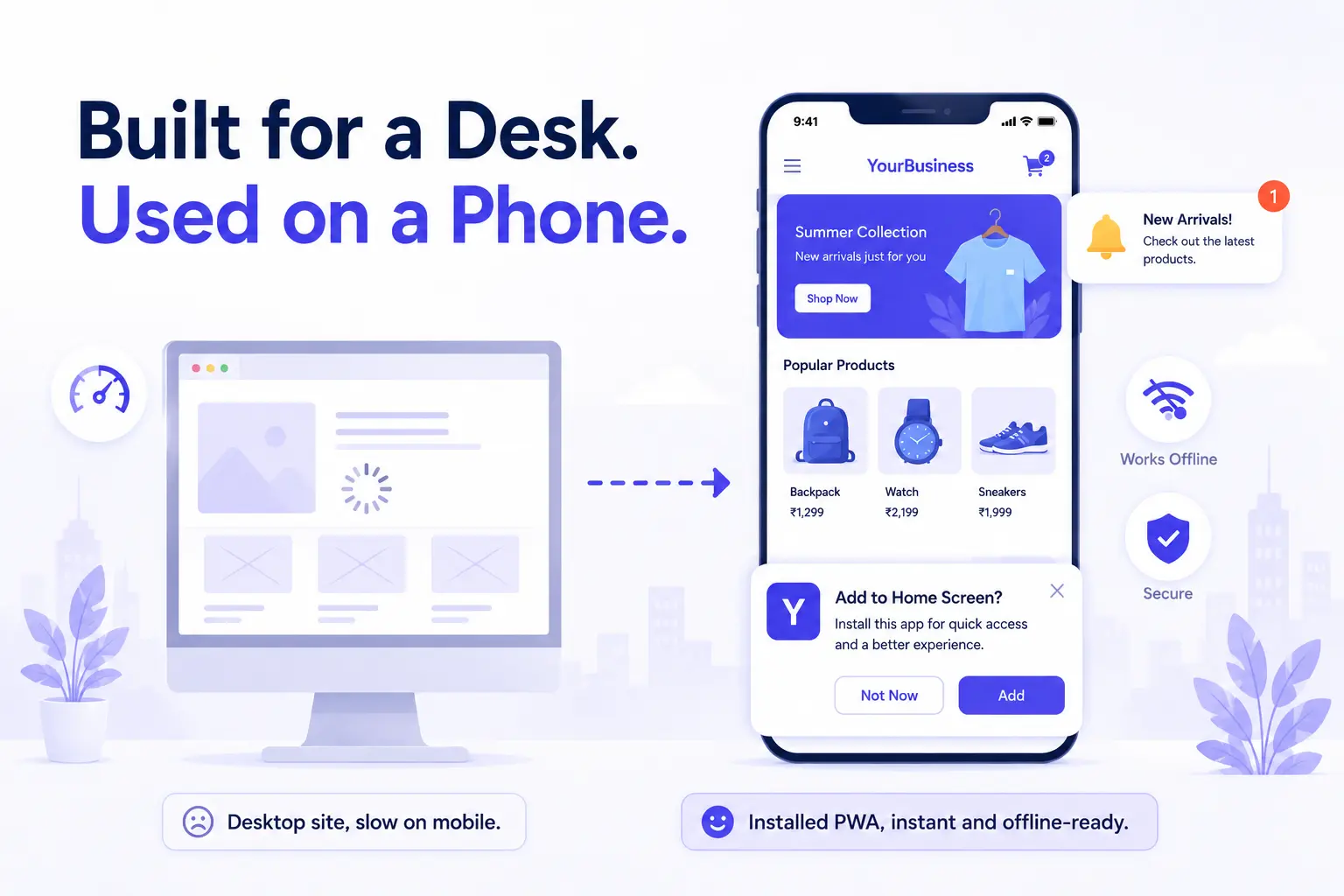
A Progressive Web App is a website built with a specific set of modern web technologies that give it the feel and behaviour of a native mobile app, without any of the App Store friction.
Here is what that means practically. A user visits your website link. On their first visit, their browser quietly downloads the core structure of your site and stores it on their device. The next time they visit, even if they have no internet connection, the site loads instantly, because it is already on their phone.
After a few visits, their browser shows a small prompt: "Add to home screen?" If they tap yes, your website icon appears on their home screen, next to WhatsApp and Instagram, looking exactly like an app. No App Store. No download. No install process.
From that point on, when they open it, it opens full screen, with no browser bars and no address bar, indistinguishable from an app you paid to build and publish.
And you can send them push notifications.
- Component 1: Service Worker
A background script that intercepts network requests and serves cached content when the connection is slow or unavailable. This is what enables offline functionality.
- Component 2: Web App Manifest
A configuration file that tells the browser how to display the app when installed: icon, colours, orientation, whether to show browser controls.
- Component 3: Push API
Sends notifications to a user's device even when they are not on your site, the same way a native app would: opt-in, targeted, and immediate.
Why India Specifically: Why This Matters More Here Than Almost Anywhere Else
The case for PWAs is strong globally. But it is unusually compelling for Indian SMBs specifically, for three reasons.
- Your customers are on Android.
Android powers the overwhelming majority of smartphones in India, particularly in the mid-range segments that represent most of the consumer market. Android has supported PWAs fully for years, including home screen installation and push notifications.
- Your customers are storage-sensitive.
Entry and mid-range Android phones come with 32 to 128 GB of storage, much of which is already consumed. Asking a user to download a 50MB app for a local business they visit occasionally is asking a lot. A PWA uses a fraction of that space.
- Connectivity is inconsistent.
India's infrastructure has improved dramatically, but variable connectivity is still a real experience for millions of users outside metros. PWAs are built with offline-first design in mind: users can browse, fill forms, and interact even when the connection drops.
Practical Applications: What Your Business Can Actually Do With One
The capabilities of a PWA map directly onto the things a growing Indian SMB actually needs from a digital presence.
- Retailers can let customers browse their full product catalogue offline, add items to a cart that persists even after closing the browser, and receive a push notification when a new collection drops, without ever downloading an app.
- Service businesses can let customers book appointments, track their request status, and receive reminders through push notifications that appear the same way WhatsApp messages do.
- Restaurants and cloud kitchens can run an order-ahead system with menu browsing that works even in a building with poor signal, sends order confirmations, and prompts return visits through targeted notifications.
- B2B businesses can give their field sales team a tool that works whether or not they have connectivity at a client site, syncing data in the background once the connection is restored.
None of these require a separate iOS app and Android app built and maintained in parallel. One codebase, one deployment, works everywhere.
Clarifying the Difference: The Real Difference Between a PWA and Just a Mobile-Friendly Website
This is where a lot of businesses get confused, so it is worth being direct.
A mobile-friendly website is responsive. It resizes and rearranges for a smaller screen. That is a baseline expectation, not a differentiator.
A PWA goes several layers deeper. It uses a Service Worker to serve cached content offline. It has a Web App Manifest that makes it look and feel like a native app after installation. It uses the Push API to send notifications to a user's device even when they are not on your site.
Showing a user a blank screen when they lose connectivity is better than a browser error, but it is not good enough. The best PWAs serve meaningful content (a product catalogue, order history, a booking form) even without a connection. That is the difference between a website and a product.
The Business Case: The Economics Are the Point
Building a native app for Android typically costs more and takes longer than most SMBs expect. Then you need an iOS version. Then both apps need to be maintained separately as operating systems update. Then you need someone to manage the App Store listings, handle review rejections, and push updates every few months.
A PWA is one build. It runs in a browser, which means it updates the moment you update it, with no waiting for users to download a new version, no App Store approval process, no separate codebases for iOS and Android.
The development cost is substantially lower. The maintenance overhead is substantially lower. And the reach is higher, because a PWA is also a website: it is indexed by search engines, shareable via a link, and accessible to anyone without any friction whatsoever.
For a business that wants to offer a genuinely good mobile experience to its customers without the budget of a funded startup, this is the most sensible path available.
Getting It Right: What Makes a Good PWA
Not every PWA is the same. The technology enables the capability, but the execution determines whether it actually serves your customers well.
Speed matters more here than almost anywhere else. A PWA that loads slowly defeats its own purpose. This means thoughtful decisions about what gets cached, how images are optimised, and how the app handles the transition between online and offline states.
The offline experience needs to be intentional. The best PWAs serve meaningful content even without a connection: the last-loaded catalogue, the customer's order history, the booking form they were filling in.
Push notifications need to be used with restraint. The technical capability to send a notification is not the same as a good reason to send one. Treat them like SMS, reserved for things the user actually wants to know. Businesses that abuse them get blocked within a week.
The app needs to feel like an app, not a website squeezed into a home screen icon. That means gesture-based navigation, loading states that match native patterns, and interactions that feel immediate rather than web-delayed.
Where UDaaann Fits In: Built on the Right Stack for This Kind of Work
We build PWAs using React and Next.js, the same technologies that power the front ends of some of the most used digital products in the world. This is not a detour from our core stack. A PWA is a front-end application with a backend behind it, and the backend work (APIs, databases, cloud hosting on Azure, authentication, data handling) is where the durability of what you build comes from.
A PWA built well is not a quick project with a template. It is a proper software product. It has architecture. It has a caching strategy. It has a notification system with logic behind it. It has an offline experience that was designed, not assumed.
The businesses we work with in Vadodara and beyond are not technology companies. They are businesses trying to compete, grow, and serve customers who are, right now, on their phones. A PWA is one of the clearest examples of technology that makes that easier, without asking for a budget that only makes sense once you are already large.
If you are building something for customers who are primarily mobile, which, in India in 2026, is almost everyone, it is worth a conversation.